Better Logo

Kostiantyn Perevozov Test Assignment

The original task can be found here: https://drive.google.com/file/d/1hvSAz_38iHbCqN48zPynZvN2tZC85usR/view

Task 1 - Business Subscription

Value Proposition
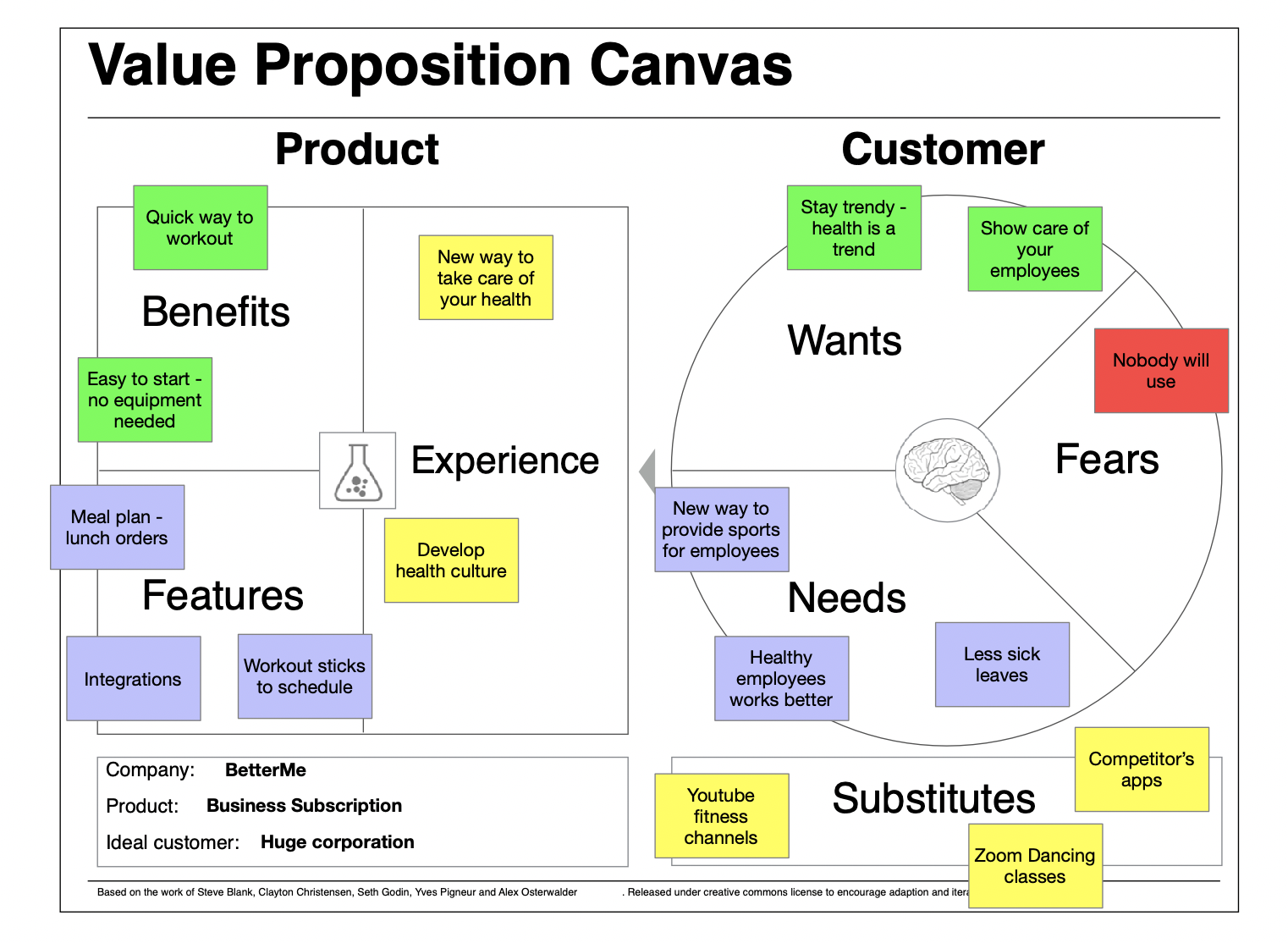
Value Proposition
Invest in your employees wellbeing in the new reality of remote working, during their quick breaks between lunch times, work times and nap times

Short description

To implement the functionality of business subscription management we are planning to develop a web-application.

The typical way of our customer to start working with us would be:
  1. The customer decided to buy a corporate subscription.
  2. Found our website and filled out the feedback form or called us on the phone.
  3. The Sales Manager BetterMe contacts him, discussing the terms and conditions.
  4. The Sales Manager added him to the system as a new customer.
  5. Our Manager gives access to the admin panel or just adds Customer’s employees.

After that, we start to charge them.The invoice is sent to the email to the Customer’s manager every month.

The Customer also has access to his personal account page, where they can manage subscriptions, see their invoices and payment history, and can pay with a card.

An employee registers in the application with work email and uses the full functionality.

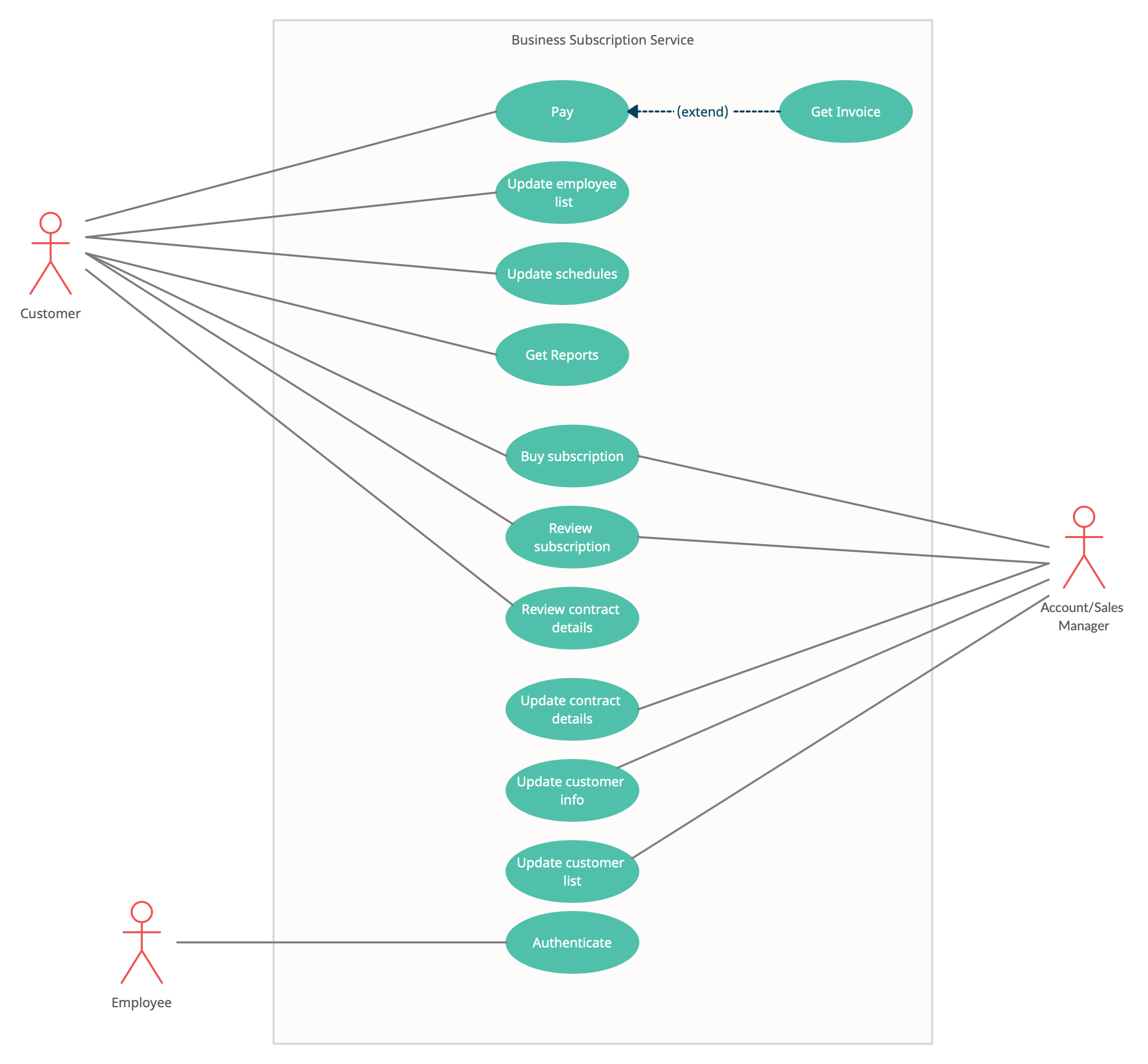
Context Diagram
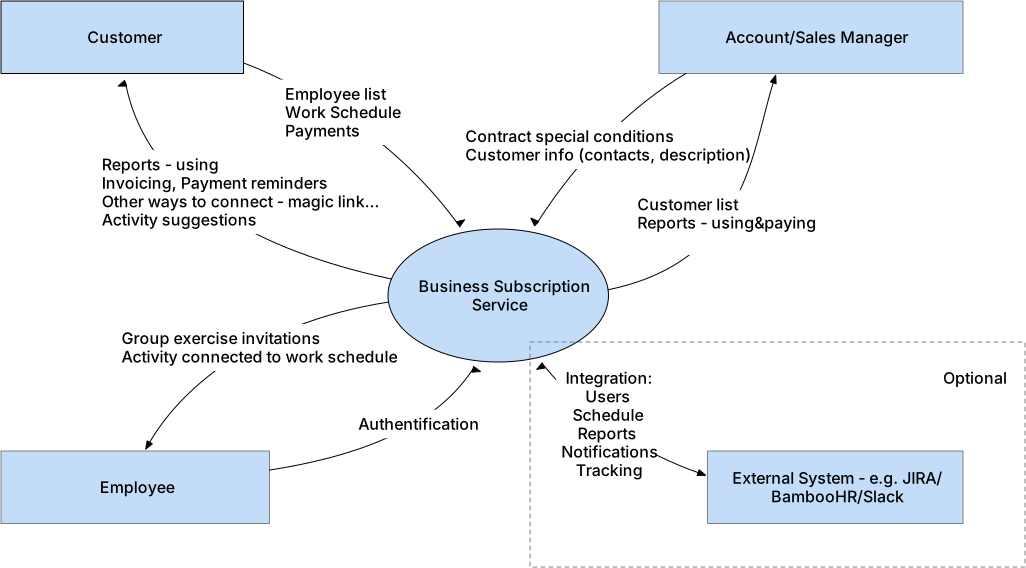
Context Diagram

Use Cases

Context Diagram

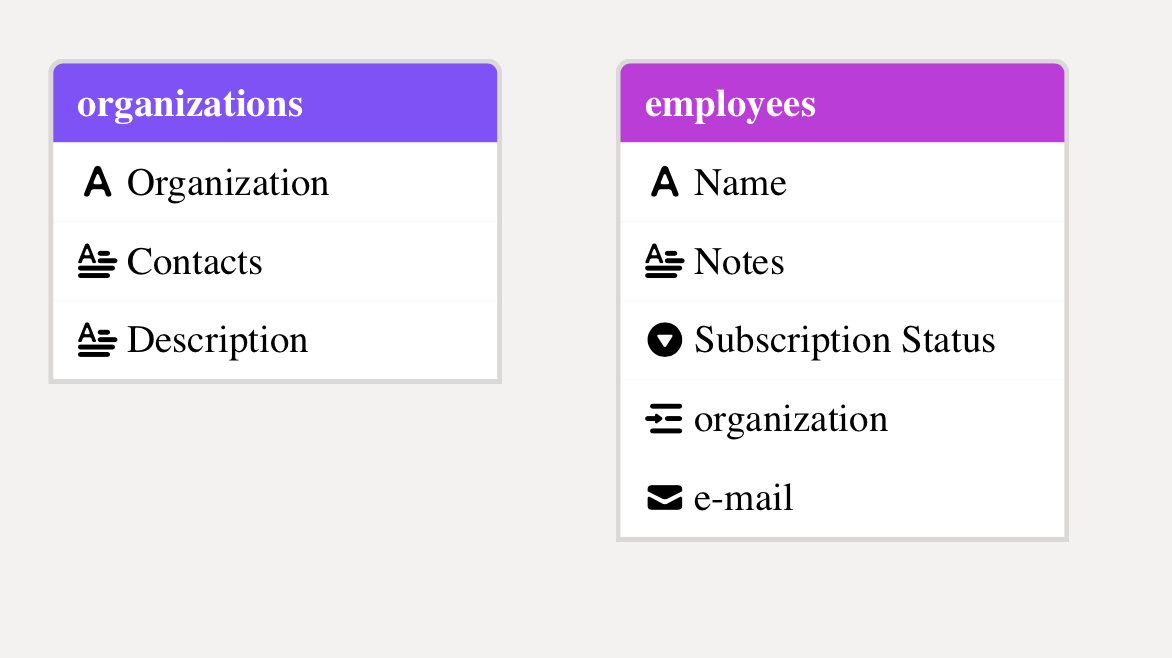
Basic Data Diagram

Data Structure AirTable Base - basic data grids and forms to add entities

Task list (expandable)

V
>
I.
Manage customer subscription
I.
Main process. Customer can change employees who has ability to use application with corporate subscription
>
A.
Add new subscription
*
1.
Pay As You Go
V
2.
Buy for N users
*
a)
Import users list
*
b)
Price Change depends on amount/duration
*
c)
Allow domain
*
d)
Manually add users
>
B.
Review your subscription
*
1.
Add/Delete/Edit Employee
*
2.
Change Plan
*
3.
List of employees
V
>
II.
Signup and Login (customer)
II.
Customer can login at web app through e-mail/password, password-less or signup without BetterMe manager.
*
A.
Sign In/Sign Out
>
B.
Sign Up at Business Portal
*
1.
Google/Facebook/LinkedIn
*
2.
E-mail
*
3.
Phone Number
V
>
III.
Payments
III.
All billing logic, credit card integration, history and invoices
>
A.
Billing Page
*
1.
Current Balance
*
2.
History of payments
*
B.
Invoicing
*
C.
Pay with credit card
*
D.
Apple/Google Pay
>
E.
Billing logic
*
1.
Blocking on non-payment
*
2.
Count half-month
V
>
IV.
Customer Page
IV.
Create page for our customer where they can review or edit general information or contact information
*
A.
Contact Information
*
B.
Company Information
*
C.
Billing statistic
*
D.
Contract special details
*
E.
Customers list
V
>
V.
Authenticate (employee)
V.
How employees can use corporate subscription
*
A.
Magic link to join
*
B.
Work e-mail
*
C.
Phone number
>
D.
Other
*
1.
Change personal subscription to corporate
V
>
VI.
Reports
VI.
All kinds of reports for both customers and BetterMe managers
*
A.
For customer
*
B.
For employee
*
C.
For account manager
V
>
VII.
Social
VII.
Let’s help our customers to popularize our application inside and outside of their companies
*
A.
Group session invitation
*
B.
Group training suggestions
*
C.
Schedule
*
D.
Share result with team or within organization
*
E.
Group depersonalized reports
V
>
VIII.
Notifications
VIII.
All kinds of invitations, reminders and newsletters
*
A.
Payment reminders
*
B.
Employee invitations
*
C.
Return letters
*
D.
Schedule/meetings
*
E.
Regular reports
V
>
IX.
Integration
IX.
Integrate our application into customers workflow
>
A.
HR System
*
1.
Onboarding
*
2.
Employee list
>
B.
Messenger
*
1.
Slack notification
>
C.
Project Management System
*
1.
User list
*
2.
Schedule

Task examples - click for details

Task 2 - Competitors Research and Increase ARPU

Competitors

Research method:

Using information from articles (found on Google search “top home workout apps 2021”) and App Store Rating on Mar 21 2021 (Fitness & Health) I found out the most popular apps for home workout and wellbeing

Articles list: https://airtable.com/shrqTa6x6azZiKShJ
AppStore Rating: https://airtable.com/shrXUBQgC8fxMr0bL

Table of competitors sorted by combination of rating and mentions in those articles:


Table of interesting projects (another approach or new ideas):

Global trends in home workout apps

  1. Celebrities - Chris Hemsworth, Courtney Black, Krissy Cela…
  2. Fitness Studios go online
  3. Not only physical, but also mental health
  4. Personal approach

General Improvement ideas found:

  1. Internal social network to get likes (or just make possible to like in current community tab)
  2. Trial Period
  3. Coach as a person
  4. Premium Features Presentation
  5. Meditation
  6. “Other or Non-binary” as a gender
  7. Scheduled workouts
  8. FitBit / Apple Watch / Garmin Integration
  9. Contacts Integration - invite them to workouts
  10. Habit Tracker
  11. AirPlay (or even instructions to mirror your screen like in Seven app)
  12. Better Achievements System
  13. Filter workouts by duration

ARPU Increasing ideas

  1. Trial Period
    I believe that trial period will help our customers to know more about our product

  2. Coach as a person - each have some free trainings
    I believe that ability to choose your coach will increase the level of engagement

  3. Premium Features Presentation
    I believe that visual representation of full functionality will help our customers to clarify what they buy

  4. Subscribe to a daily workout with celebrity coach
    I believe that celebrity involvement will help to popularize our app and connect his fans to it

  5. Daily meditation to stress relief and improve your sleep
    I believe that daily using of our app to get better sleep will lead to other meditations buying

The best feature - Daily meditation to stress relief

1) Mobile app User gets notification to go to bed.
The User launches an app to get meditation before sleep.
They are stressed and have some problems falling asleep.
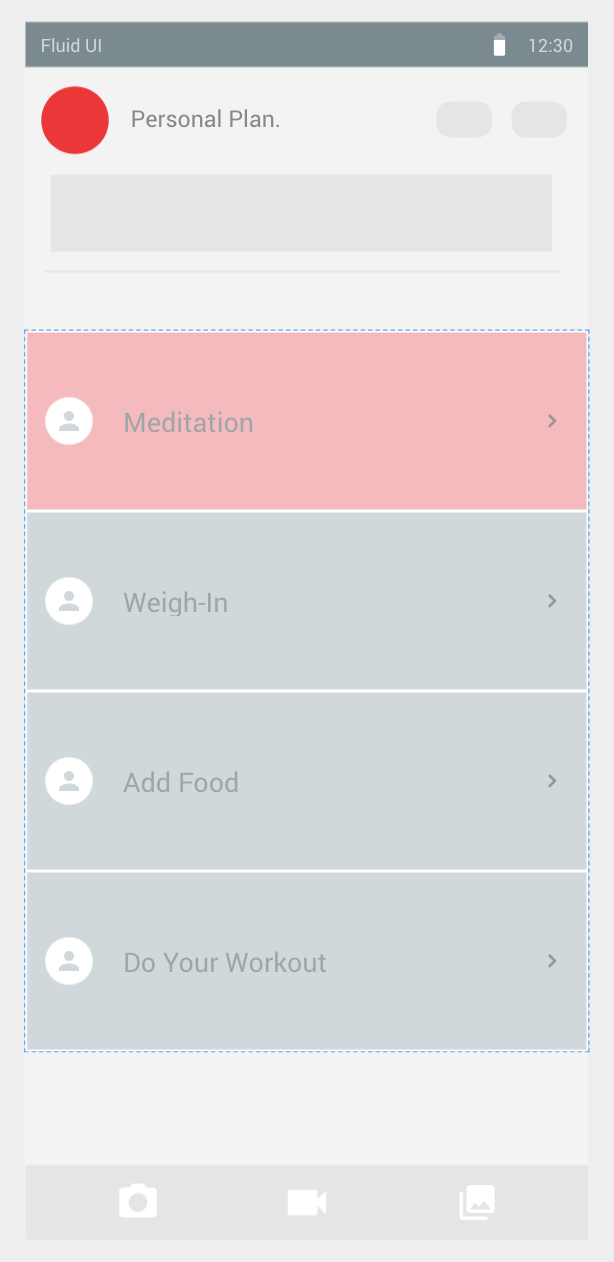
The User can review his progress in another activities and see the “start meditation” button.
Main screen

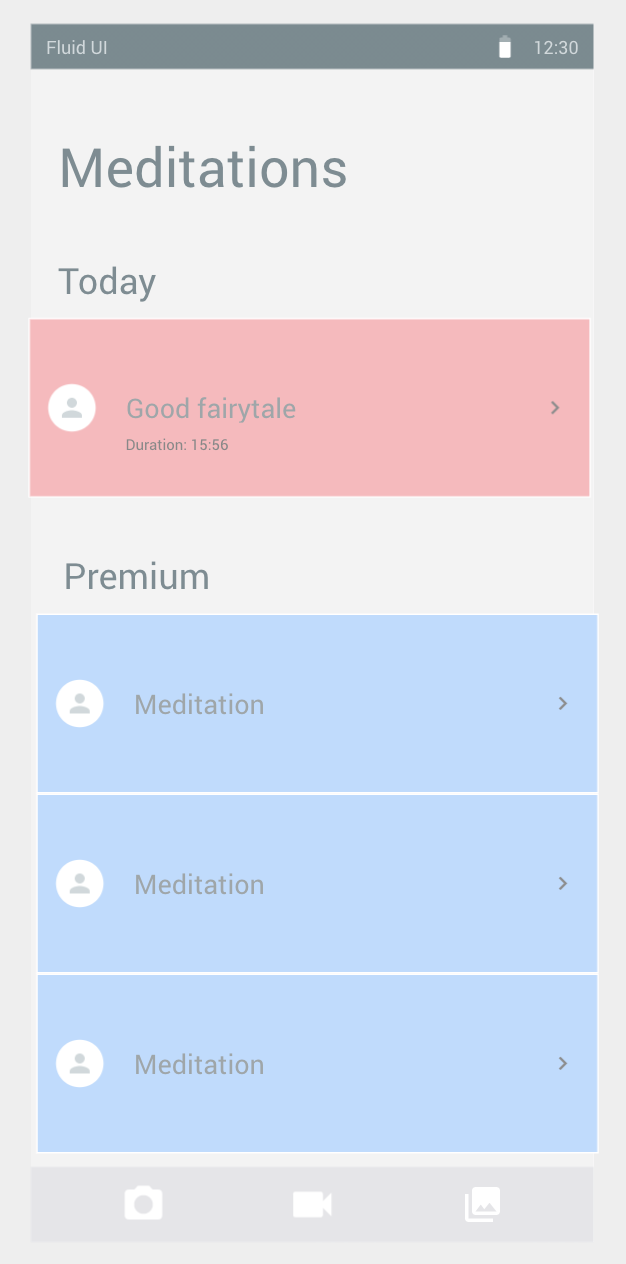
2) The User sees a full list of meditations presented in the Premium app.
The User has access to today's meditations only.
The User can see the topic and duration of it.
Meditations screen

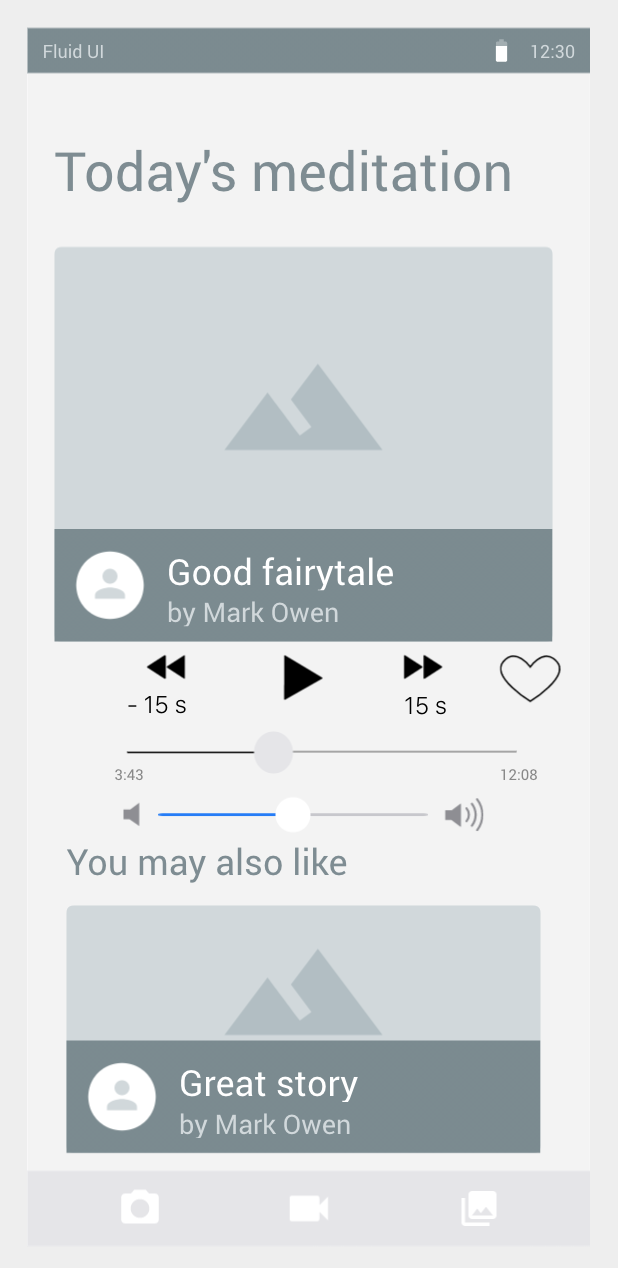
3) The User taps on today's meditation and it’s starting to play.
The meditation playback doesn't stop on phone locking.
Play Meditation

4) After meditation - playback just stops. No new audio starts to play.
Information about meditation playback stored to profile

You can find high-resolution wireframes here (fluidui).


Free Web Hosting